Work

See what we’ve built.

Websites and apps we’ve designed and built from start to finish. Each one is a working sample you can open and try.

Sample projects

These were built for made-up businesses, so the names, prices and bookings in them are invented.

Sample projectWebsite

Brinkwell Heating & Plumbing

A one-page website for a heating engineer around Whittlesey, styled like an engineer’s drawing crossed with a road sign. It answers the three things people want to know before they call: do you cover my village, roughly what will it cost, and how quickly can you come.

Type a postcode or a village and the route from Whittlesey draws itself on a map of the Fens, with the next free visit. The prices sit in a clear guide, and the enquiry form asks for just a name, a phone number and a photo of the problem.

See it working

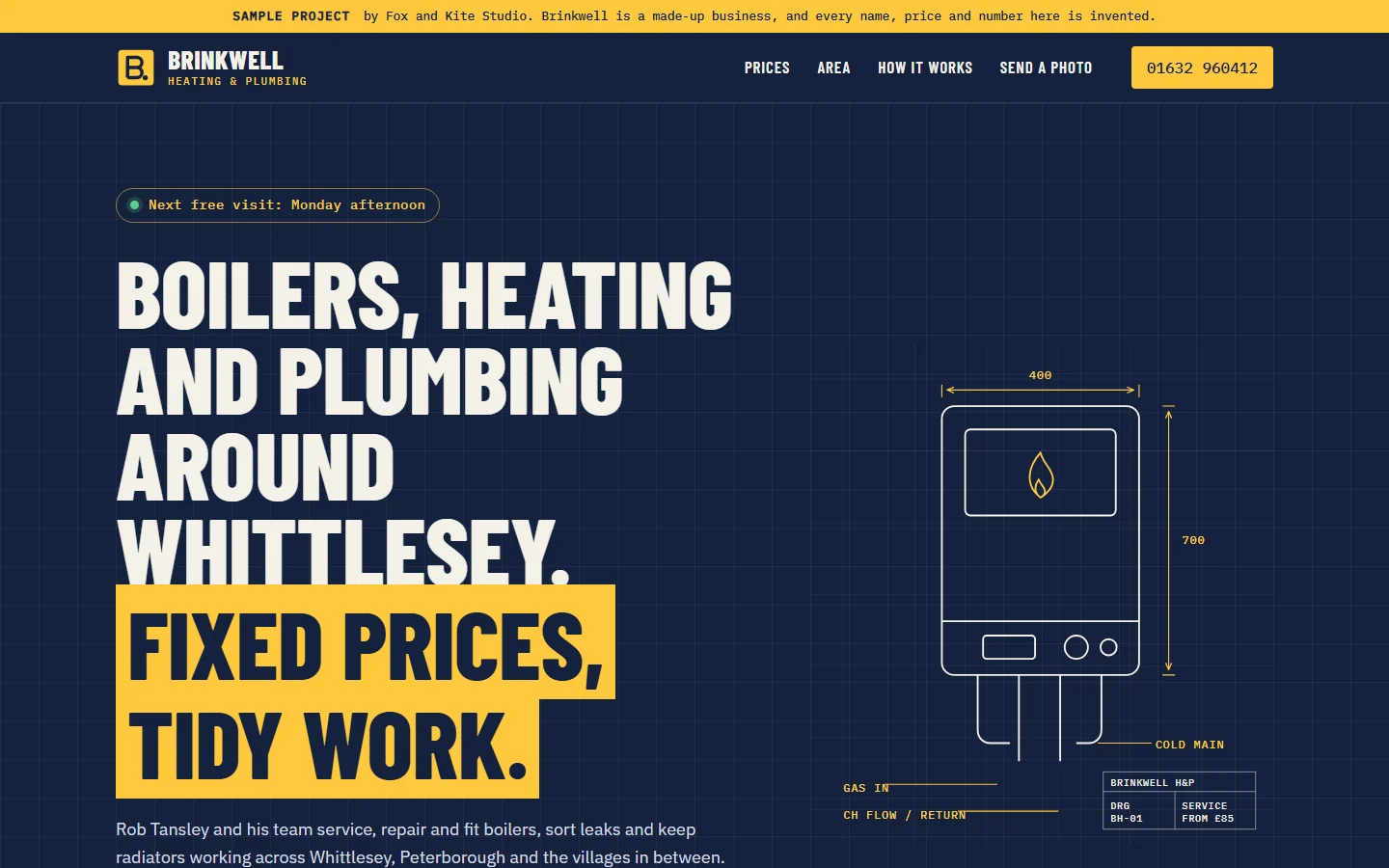
Desktop view of the Brinkwell Heating and Plumbing sample: a navy page with a yellow headline band reading Fixed prices, tidy work, a large call button and a line drawing of a boiler with dimension arrows.
On a laptop: the next free visit, the phone number and the area check, all in the first screen.
Phone view of the Brinkwell sample with the headline, the call button and a bottom bar for Call, Book and Prices.
On a phone: Call, Book and Prices stay in reach at the bottom.
What it’s for
More calls and photo enquiries from the right postcodes, and fewer calls asking about price.
What’s on it
A next free visit chip, a coverage map you can search, a price guide, how a visit works, the team, and a three-field photo enquiry form.
How it’s built
Drawings and the map made for the project. Small and quick to load, even on a weak phone signal.
Sample projectWebsite

Lode & Loaf

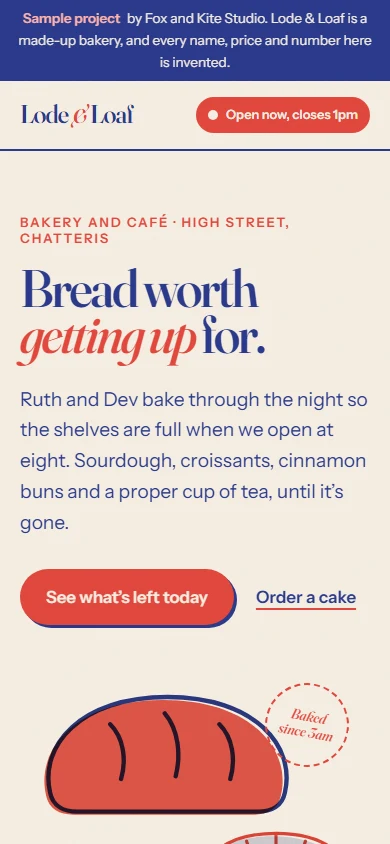
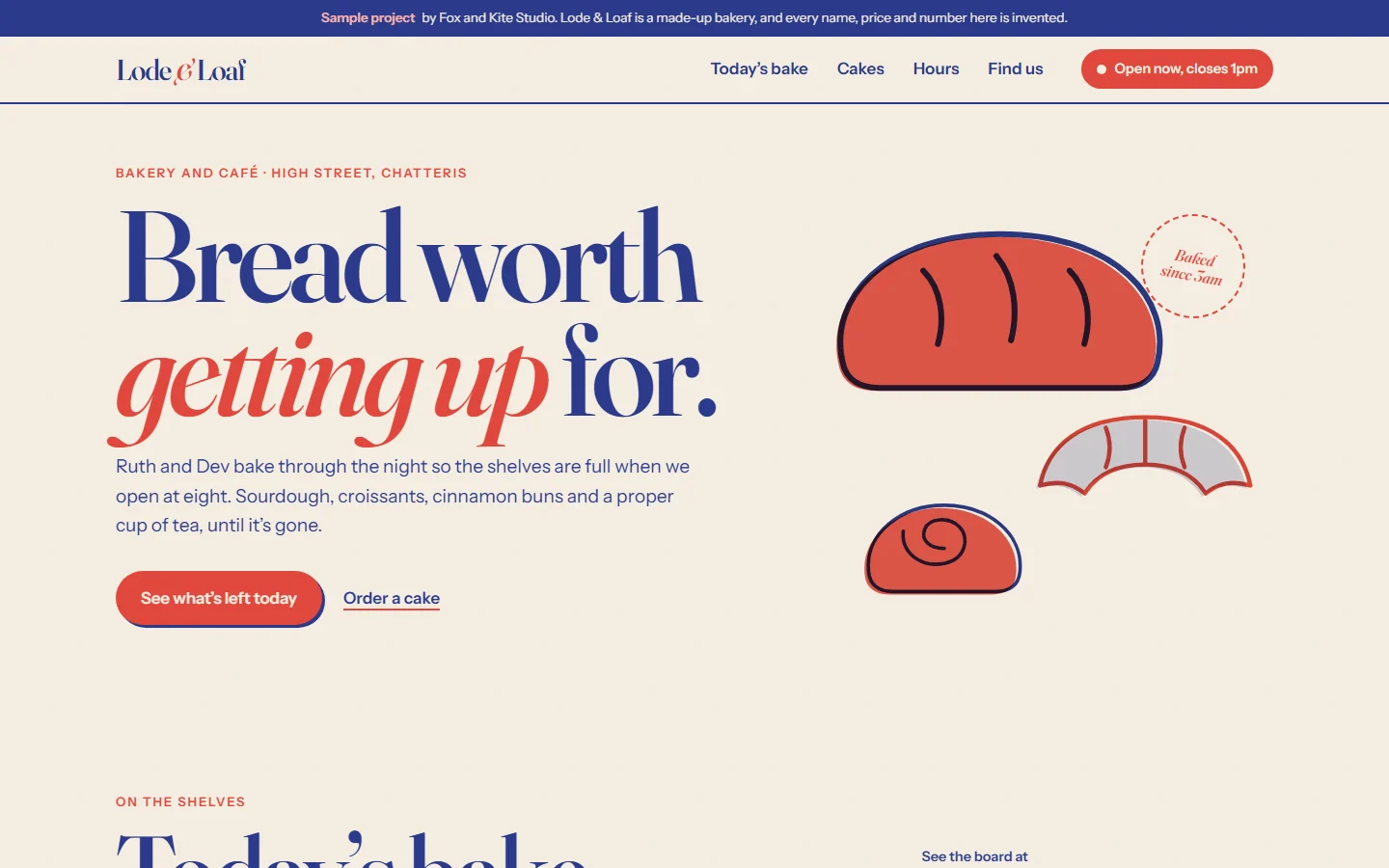
A one-page website for a bakery and café in Chatteris, printed in two inks like a risograph poster, with drawings of the bakes a little out of register on purpose.

The “Today’s bake” board changes through the day, and things that have sold out get crossed through in chalk. Customers can build a celebration cake, watch it stack up and see the price and the first collection day as they go.

See it working

Desktop view of the Lode and Loaf sample: a cream page with the headline Bread worth getting up for in large red and blue type, beside drawings of a loaf, a croissant and a bun.
On a laptop: whether it’s open, what’s left and how to order a cake.
Phone view of the Lode and Loaf sample with the headline and a rounded bottom bar for Today’s bake, Order a cake and Find us.
On a phone: the three things people come for, one tap away.
What it’s for
Getting people through the door before things sell out, and taking cake orders without the phone ringing all day.
What’s on it
An open now chip, today’s bake board, a cake builder with a live price, a short pre-order form, big opening hours and directions.
How it’s built
Print-style drawings made for the project. Small and quick to load on a phone.
Sample projectWebsite

Pebblewash Dog Grooming

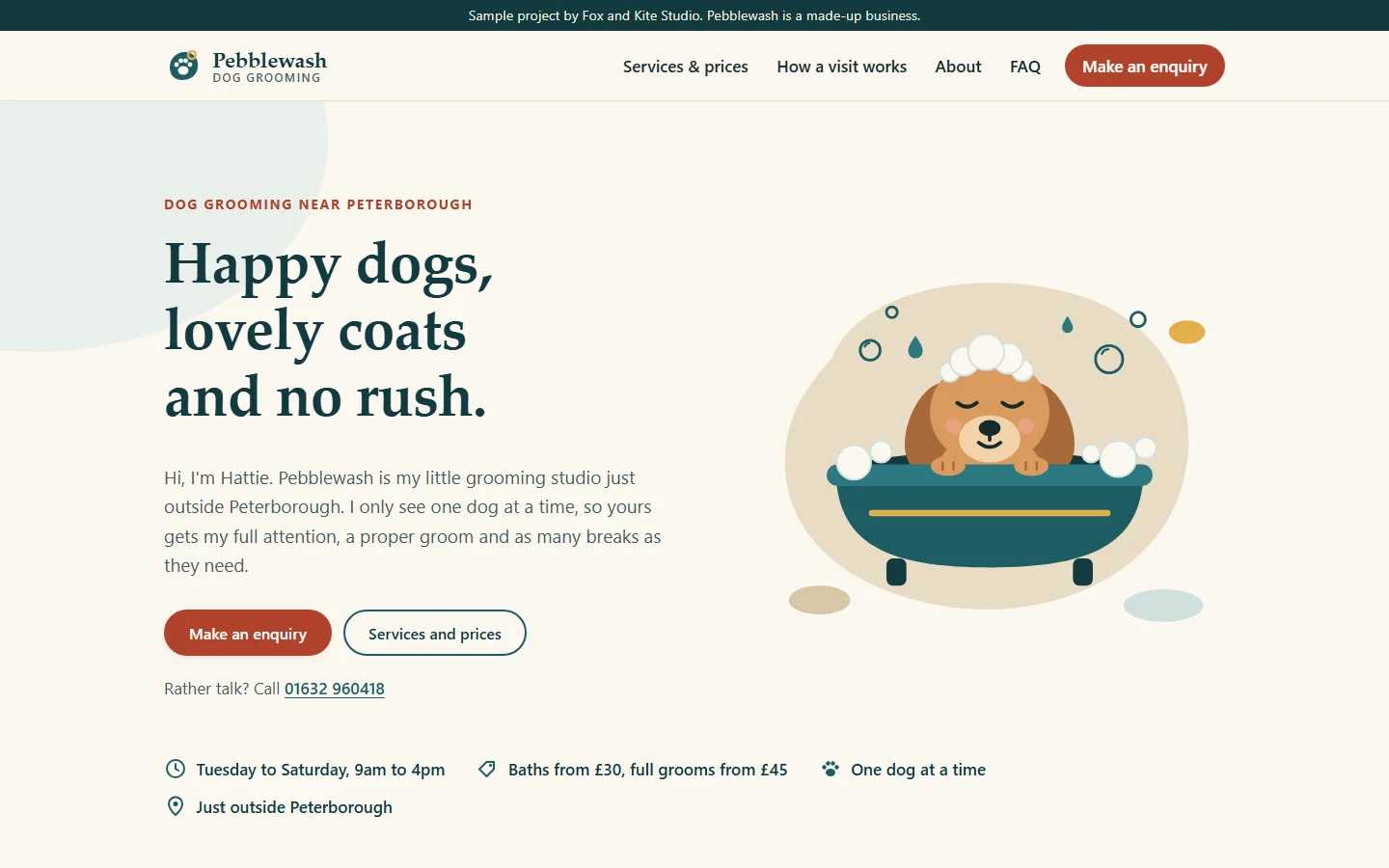
A one-page website for a groomer who works on her own and sees one dog at a time. It’s written in her voice, so it feels like meeting her before you book.

Prices, what happens on the day and an enquiry form sit on one page, so a new customer can go from first look to enquiry in a couple of minutes.

See it working

Desktop view of the Pebblewash sample: the headline Happy dogs, lovely coats and no rush, two buttons and an illustration of a dog in a bath.
On a laptop: a warm welcome and two clear next steps.
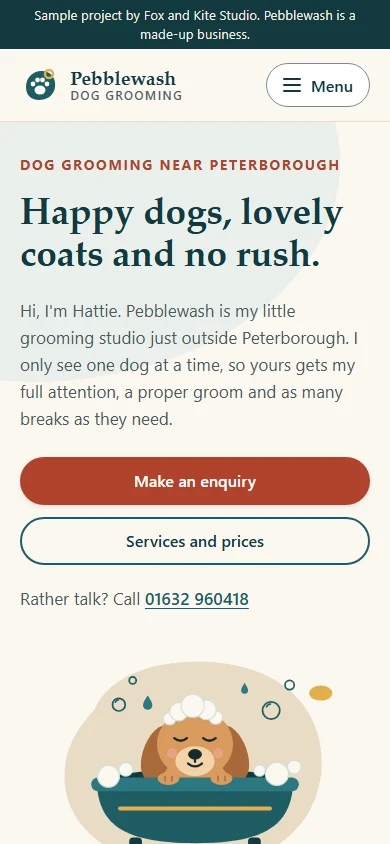
Phone view of the Pebblewash sample with full-width buttons and a tap-to-call number.
On a phone: full-width buttons and a number that dials when tapped.
What it’s for
Helping a new customer feel at ease and send an enquiry.
What’s on it
Services and prices, what to expect on the day, an about section, common questions and an enquiry form.
How it’s built
Illustrations drawn for the project. Small and quick to load on a phone.
Sample projectAutomation

Booked in one tap

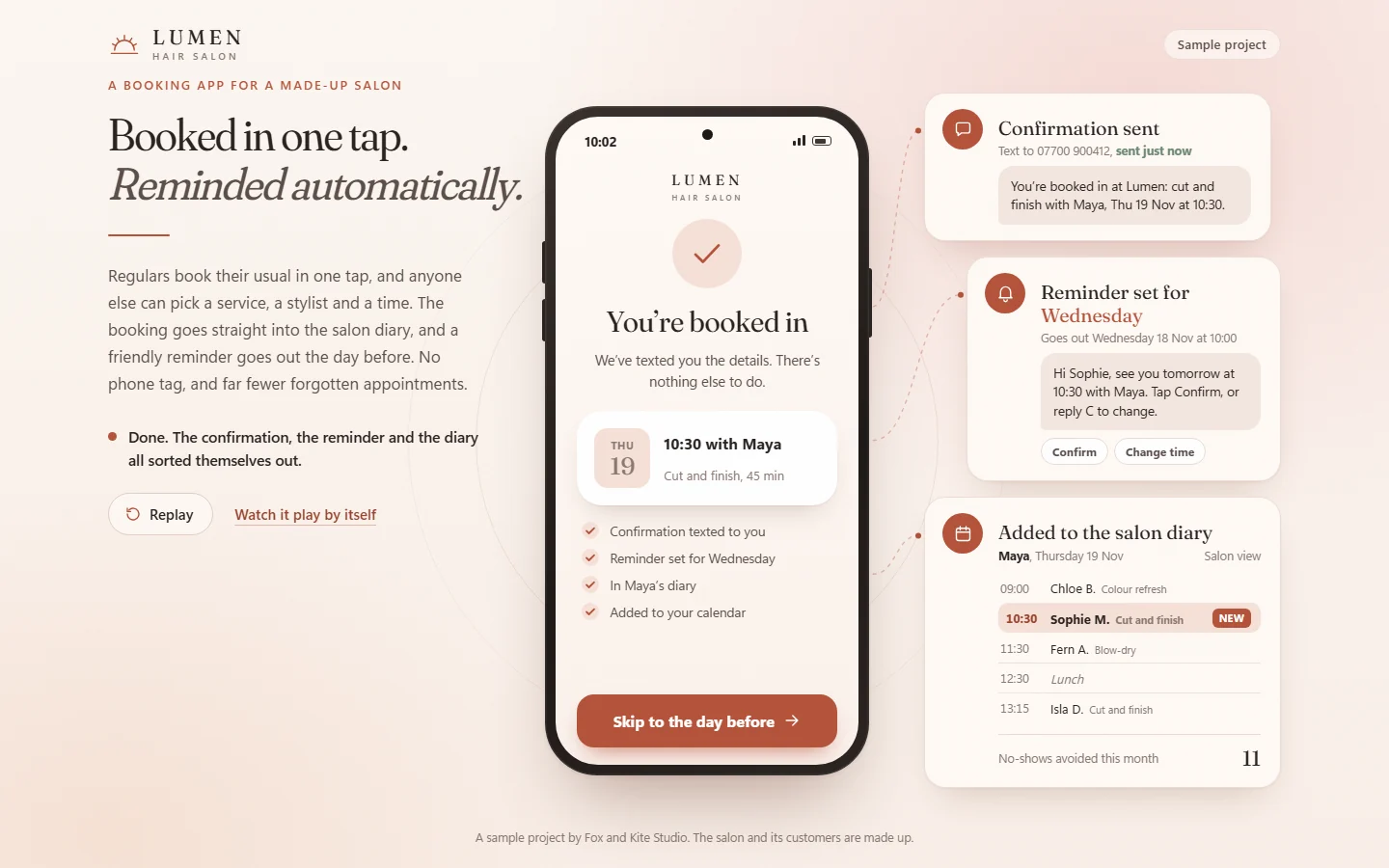
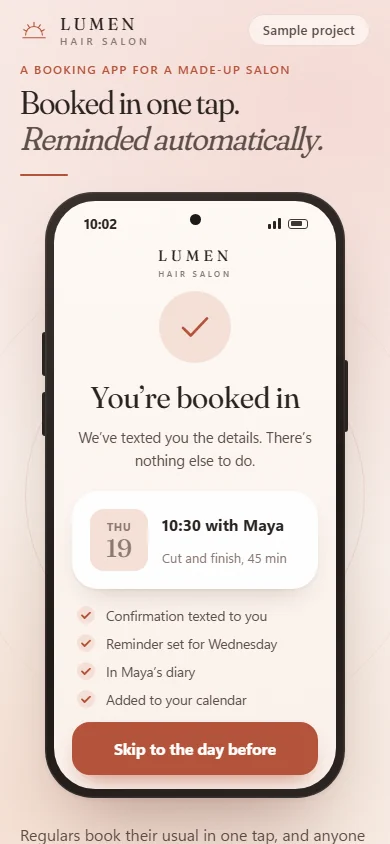
A booking page for Lumen, a made-up hair salon. A regular opens it, sees “Hi Sophie, the usual?” and books her usual cut with Maya in one tap. Anyone else picks a service, a stylist and a time.

Then the salon’s work does itself: the confirmation text goes out, a reminder is set for the day before and the booking drops into the diary. If the reminder doesn’t suit, the customer moves to another free time with one tap, and the old slot opens up for someone else.

See it working

The Booked in one tap sample on a laptop: a phone showing a confirmed booking for Thursday at 10:30 with Maya, next to cards for the confirmation text, the reminder for the day before and the salon diary.
Sample project: a booking page for a salon that books, reminds and rebooks on its own.
The same app on a phone, with the booking confirmed in one tap.
On a phone, where most people book: one big button and nothing to sign up for.
What it’s for
Fewer phone calls and fewer no-shows, without anyone chasing.
What happens on its own
The confirmation, the reminder the day before, rebooking when a time doesn’t suit, and keeping the diary up to date.
How it’s built
A web page that works on any phone, with no app to download and no account to make.
Sample projectApp

Pebblewash booking diary

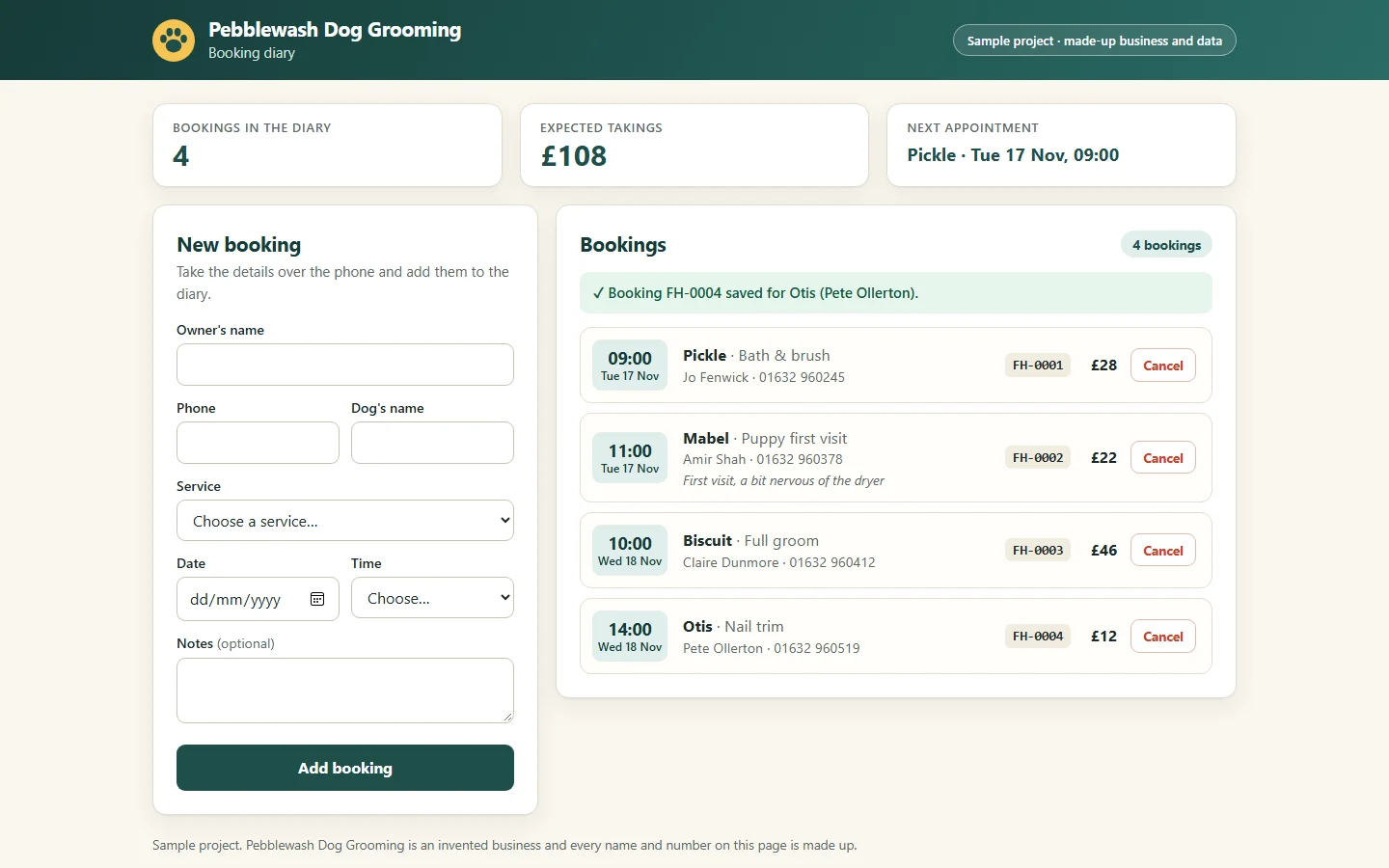
The booking system we built for the staff side of Pebblewash, the groomer above. Most of her bookings still come in by phone, so the diary is designed for taking one quickly while the customer is on the line.

Each booking gets its own reference, and the top of the screen shows how many bookings are in, the expected takings and who’s next.

The Pebblewash booking diary on a laptop: a new booking form on the left and four bookings on the right, each with a time, the dog’s name, the service, a reference and a price. Totals at the top show 4 bookings and expected takings of 108 pounds.
On the desk: take a booking over the phone and see the whole day at a glance.
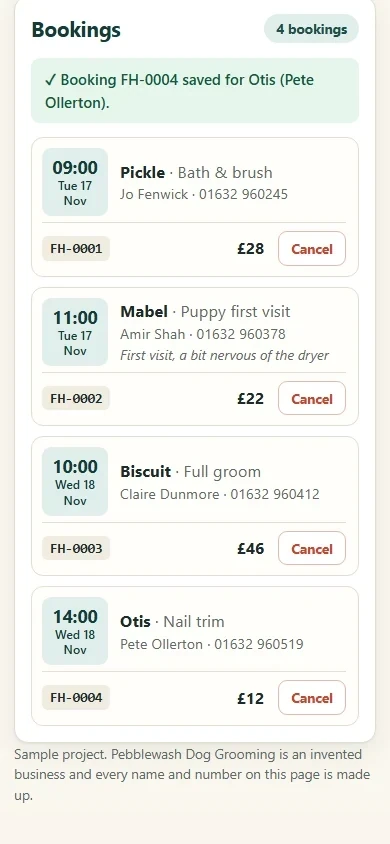
The same booking diary on a phone, showing the list of bookings.
On a phone: check what’s coming up between appointments.
What it’s for
Taking a phone booking in under a minute, and never losing one.
What’s in it
A booking form that checks what’s typed, the list of bookings, cancellations and running totals.
How it’s built
Checked by automatic tests that make sure no booking can overwrite another.

We’ve also built a small Windows app that renames supplier invoices and files them by month and supplier, with a preview before anything moves. Ask us about it if that sounds useful.

Want something like this for your business?

Tell us what you have in mind and we will say what it would take.

[email protected]